The Archiving Data Screen
The Archiving Data screen contains options to delete or move data into the history database. Administrators can perform these tasks in .
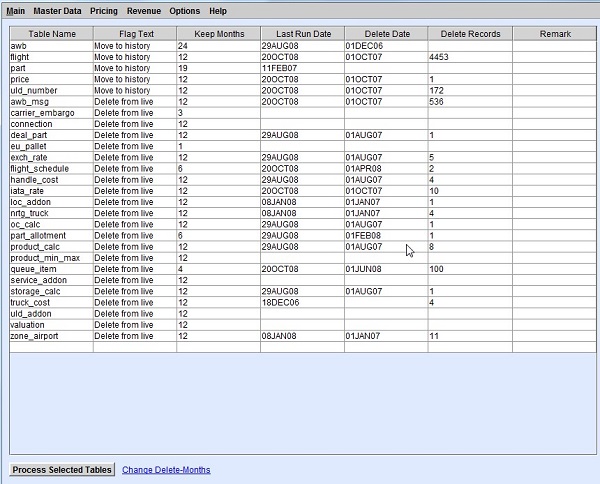
The Archiving Data screen lists various tables, and available delete or move options.
| Column | Description |
|---|---|
| Table Name | The name of the database table. |
| Flag Text | The action to be performed on the table upon selecting the row and clicking
Process Selected Tables.
|
| Keep Months | The number of months back to keep old data based on the Until Date field of the data. |
| Last Run Date | The date when the table was last processed. |
| Delete Date | Defines the delete date when all data older than the defined date is deleted. |
| Delete Records | The number of records deleted in the last run. |
| Remark | Optional column for additional notes. |